

PEBLLA TABLE

Fill more seats and
bring them back.

Peblla Table helps turn more demand into reservations, keep busy shifts under control with waitlists, deposits, and pacing, and connect every visit with Peblla POS, loyalty, and marketing so your team can serve guests better and keep building the relationship after the booking.

Already with Peblla? Add Peblla Table

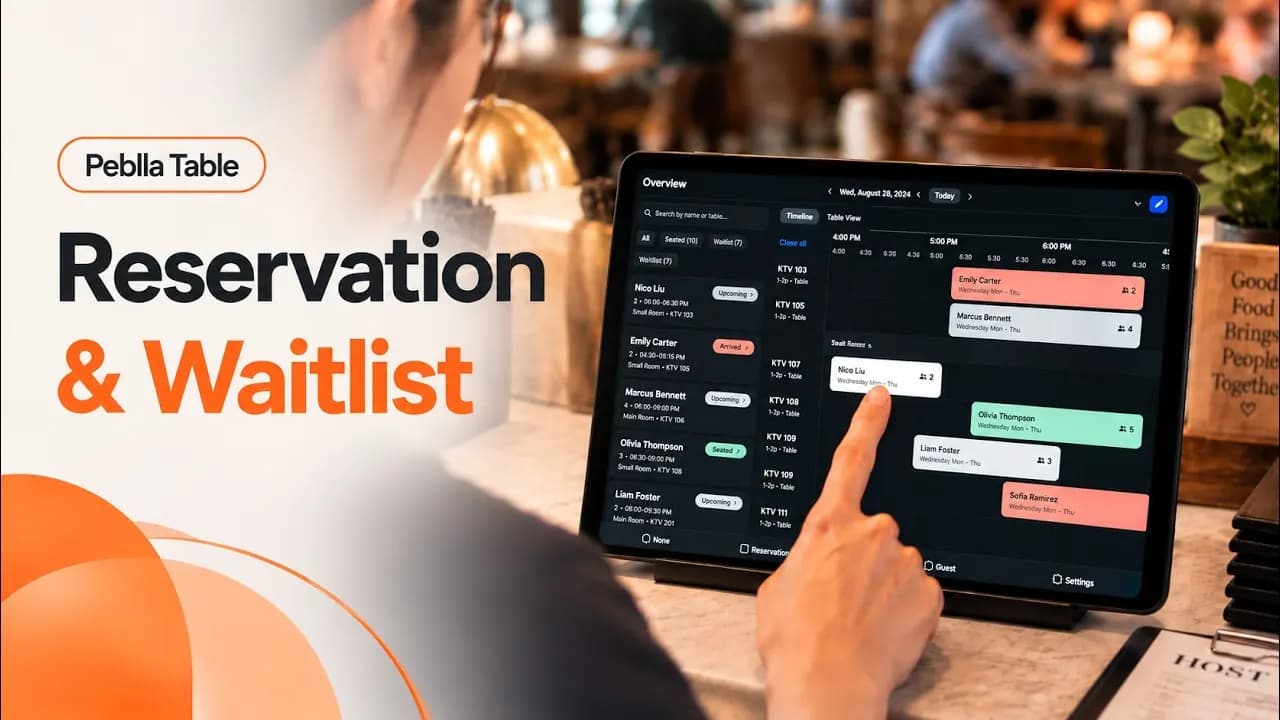
restaurant reservation and waitlist management software peblla table product overview video
Watch the 2-minute tour
2:03
  • The Hub logo — Peblla customer
  • Mo Ran Gak logo — Korean BBQ restaurant, Peblla customer
  • 888 Korean BBQ logo — Korean BBQ restaurant, Peblla customer
  • RH Bistro logo — Chinese fine dining restaurant, Peblla customer
  • Hanshin Pocha logo — Korean pocha bar, Peblla customer
  • Los Sanchez Restaurant logo — Peblla customer
  • Live K logo — Peblla customer
  • Sushi Rev logo — sushi restaurant, Peblla customer
  • SGD Dubu (So Gong Dong) logo — Korean tofu house, Peblla customer
  • HEMI Pizza logo — Detroit-style pizzeria, Peblla customer
  • Canastas Chicken logo — chicken restaurant with locations in Virginia and North Carolina, Peblla customer
  • Pelicana Chicken logo — fried chicken restaurant, Peblla customer
  • Silvestre Rotisserie & Grill logo — rotisserie chicken restaurant, Peblla customer
  • Uzu Revolving Sushi logo — revolving sushi restaurant, Peblla customer
  • Kanpai BBQ & Shabu Shabu Buffet logo — Korean BBQ and hotpot buffet, Peblla customer
  • Hot Pot Hero logo — Chinese hot pot restaurant and bar, Peblla customer
POS-connected reservations

From reservationto repeat visit.

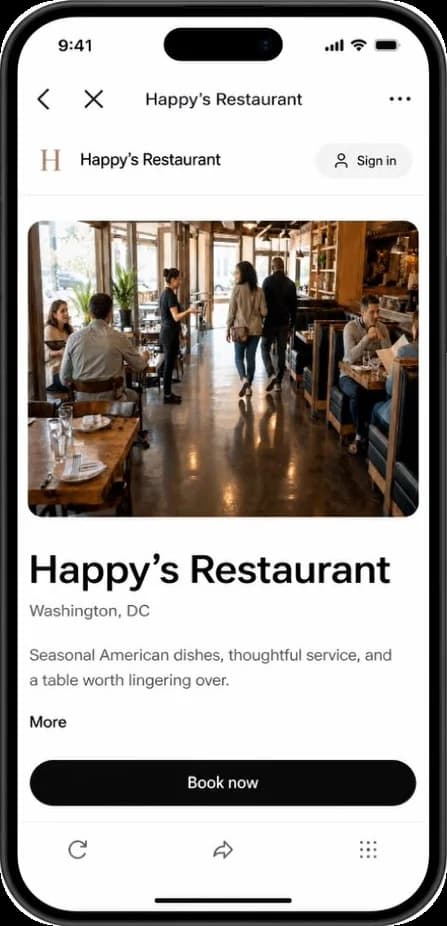
Guest booking a table on the restaurant’s own reservation page
Seat and Status Changes

Move a party to another table, or change them from expected to seated, at any point in the night. The reservation and the floor plan stay in step, so the host never has to remember which screen to change.

Guest Profiles and Notes

See the name, party size, member status and this booking’s notes before anyone walks up to the table. Nothing gets retyped at the stand.

POS Sync and Cover Counts

The floor plan runs on your POS table numbers, so seating a party opens that table’s check and the covers update in the same view.

Occupancy at a Glance

See how full the room is right now and what is still open, without stopping to run a report.

Booking Without an App

Guests book from your own site in a browser. Nothing to install, on whatever phone they already have.

Turn more guest interest into bookings.Give guests a direct path to reserve from the places they already find you, with booking flows that fit everyday tables, private dining, and rooms.
Protect more of your prime-time demand.Control reservation pacing and turn times, set deposits and cancellation rules, and keep standby demand ready when an opening comes back.
Turn each visit into a guest relationship.Seat the party into Peblla POS without starting over, keep visit history tied to the same profile, and build customer data your restaurant can use for better service and repeat business.
Peblla Table

What is Peblla Table and how does it help restaurants manage reservations, waitlists, and seating?

Peblla Table is a restaurant reservation, waitlist, and table management system that brings online bookings, walk-in waitlists, table availability, and guest profiles together. Built for U.S. restaurants, it helps managers control reservation pacing, coordinate seating, set deposit and cancellation policies, offer canceled slots to standby guests, and keep waiting guests informed. Peblla Table connects with Peblla POS, loyalty, and marketing tools to keep reservation details, member information, and visit history connected, helping restaurants reduce duplicate entry, personalize service, and encourage repeat visits.

Schedule a Peblla Table demo
Direct booking paths

When guests find you,
make booking the next step.

Link your Peblla online reservation page from Google Business Profile, Yelp, social media, and your restaurant website so guests can move from discovery to booking a table or private room with fewer steps.

Book a demo
Flexible reservations & capacity control

Run every reservation
on your terms.

Peblla Table combines party-size reservations, private dining and room bookings, reservation pacing, turn times, and special-date rules in one restaurant reservation system. Keep booking simple while controlling capacity and high-demand dates your way.

One reservation system for every table, room, and booking style.

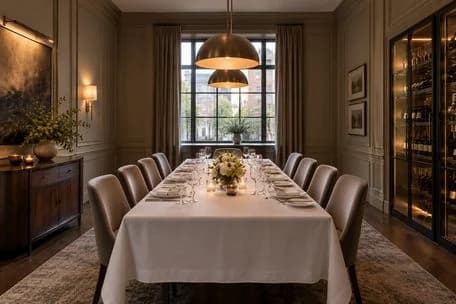
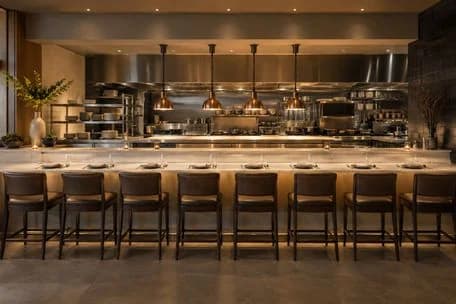
Guests can reserve standard tables by party size and time, or choose a private dining room or KTV room with photos and details. Peblla Table supports both in one system, while reservation notes such as allergies, birthdays, and seating preferences give hosts useful context before arrival.

Control how fast reservations hit the floor.

Choose the booking interval that fits your operation, set how many guests can be seated in each interval, and adjust expected turn times by party size.

Match reservation capacity to what your floor and kitchen can actually handle, instead of forcing every shift into the same pace and table time. More on restaurant table turnover and pacing.

Capture more holiday demand without disrupting your regular schedule.

Set separate reservation hours, table or room availability, and bookable capacity for holidays, promotions, and special events. Override your regular schedule for that date only, or close reservations for the day, without changing the rest of your week.

Reservation operations & POS integration

Seat once.
Keep the whole shift in sync.

Update a reservation once, sync seating with Peblla POS, and carry order notes to the kitchen so hosts, servers, and kitchen staff work from the same information instead of re-entering or relaying it.

Start the guest relationship before they arrive.

Guests can opt into membership while booking, so their profile starts with the reservation. When they arrive, key member information moves into Peblla POS, and visit history keeps building on the same profile for future service and repeat business.

Keep guest context and kitchen instructions moving.

See guest notes and tags before seating, then send order notes, including allergy instructions, to Peblla POS and the kitchen so service staff do not have to retype or relay the same information.

One tap seats the party and updates Peblla POS.

Move reservations through the statuses your team uses, customize status labels and colors to match your floor workflow, and sync seated status with Peblla POS so staff does not update the same party twice.

14:32●●● 5G ■
‹Happy’s Restaurant…
Fri, Aug 15 · 7:00 PM · 4 guests
First nameM. Chen
Mobile+1 (415) 555-0164
Emailm.chen@example.com
Anything we should know?Celebrating an anniversary — window table if possible.
Become a memberUnlock exclusive discounts and rewards on future visits.I agree to receive offers and updates. Details
Confirm reservation
You can leave the program at any time.
“We switched because the cost made more sense. What surprised us was how much easier the floor became to run. The team spends less time working around the reservation system and more time running the restaurant.”

RH Bistro logo
OwnerRH Bistro
“Every booking used to come in by phone, and somebody had to stand there and write it down. Now it comes straight from our own site while we’re working. Nobody’s stuck by the phone anymore. That person’s in the rooms with the guests.”

The Hub logo
OwnerThe Hub
“A hot pot table runs two and a half hours. So when a party of eight doesn’t show on a Saturday, we’re not down one booking. We’re down that table for the whole night. Now we use deposits on those high-value bookings, so we have more protection when we hold that table.”

Hot Pot Hero logo
General ManagerHot Pot Hero
Reservation deposits & cancellation policies

Your deposits. Your terms.
Your cancellation rules.

Choose whether to take a deposit, when it applies, how much to collect, and how cancellation refunds work. Set rules by reservation time, table or room type, or party size, then apply the reservation deposit to the final bill in Peblla POS.

Write your deposit policy with us
Set the policy

Charge the right deposit for the right reservation.

Choose which reservations require a deposit and set the amount by time, table or room type, or party size. Charge one flat amount per person or per party, or use tiers that step up with party size, and show cancellation and refund terms before guests confirm.

Decide where deposits apply.Use deposits selectively for the reservations, times, tables, or rooms where you want more commitment.
Choose how much to collect.Set the amount and pricing method that fits different party sizes and booking types.
Set cancellation terms up front.Guests see cancellation and refund rules before confirming.
Add Policy
Booking Method
Require DepositCollect a deposit when guests make a reservation
Deposit PolicyThis section applies to deposit bookings only.
Flat pricing amountSame price for all party sizes
Various pricing amountsTiered by party size
From sizeTo sizeCharge byAmount
1
6
Per Person
$ 0.00
7
∞
Per Party
$ 0.00
+ Add Tier
Cancellation Policy
1
After they book

Confirm the booking. Collect the deposit.

Peblla Table sends restaurant reservation confirmations and updates by SMS and email, including booking details, cancellation terms, and deposit payment links. Guests can review changes and pay from the message, while staff spends less time chasing confirmations and deposits.

Confirm every booking in writing.Send reservation details, deposit information, and cancellation terms by SMS and email.
Collect deposits without another phone call.Give guests a payment link from the reservation communication when payment is required.
Keep guests updated when plans change.Send updated reservation and payment details when the booking changes.
At checkout

Apply the reservation deposit to the final bill.

At checkout, staff can apply the reservation deposit to the final bill in Peblla POS. The prepaid amount appears clearly on the check, so guests see what was applied and what is still due.

Apply the deposit to the final bill.The prepaid reservation deposit goes toward the guest’s check in Peblla POS.
Show the prepaid amount clearly.The applied deposit appears separately on the check, making the remaining balance easy to understand.
Keep unused deposit balances accounted for.If part of the deposit remains unused, staff can see what remains to handle according to the refund policy.
Restaurant waitlist & reservation standby

Fully booked doesn’t have to
mean lost demand.

When a reservation time is full, guests can join standby instead of leaving. If a booking cancels, Peblla Table can offer the opening to guests already waiting. Walk-ins can also join your restaurant waitlist at the door, keeping more demand in your flow when capacity is tight.

See Waitlist & Standby in action
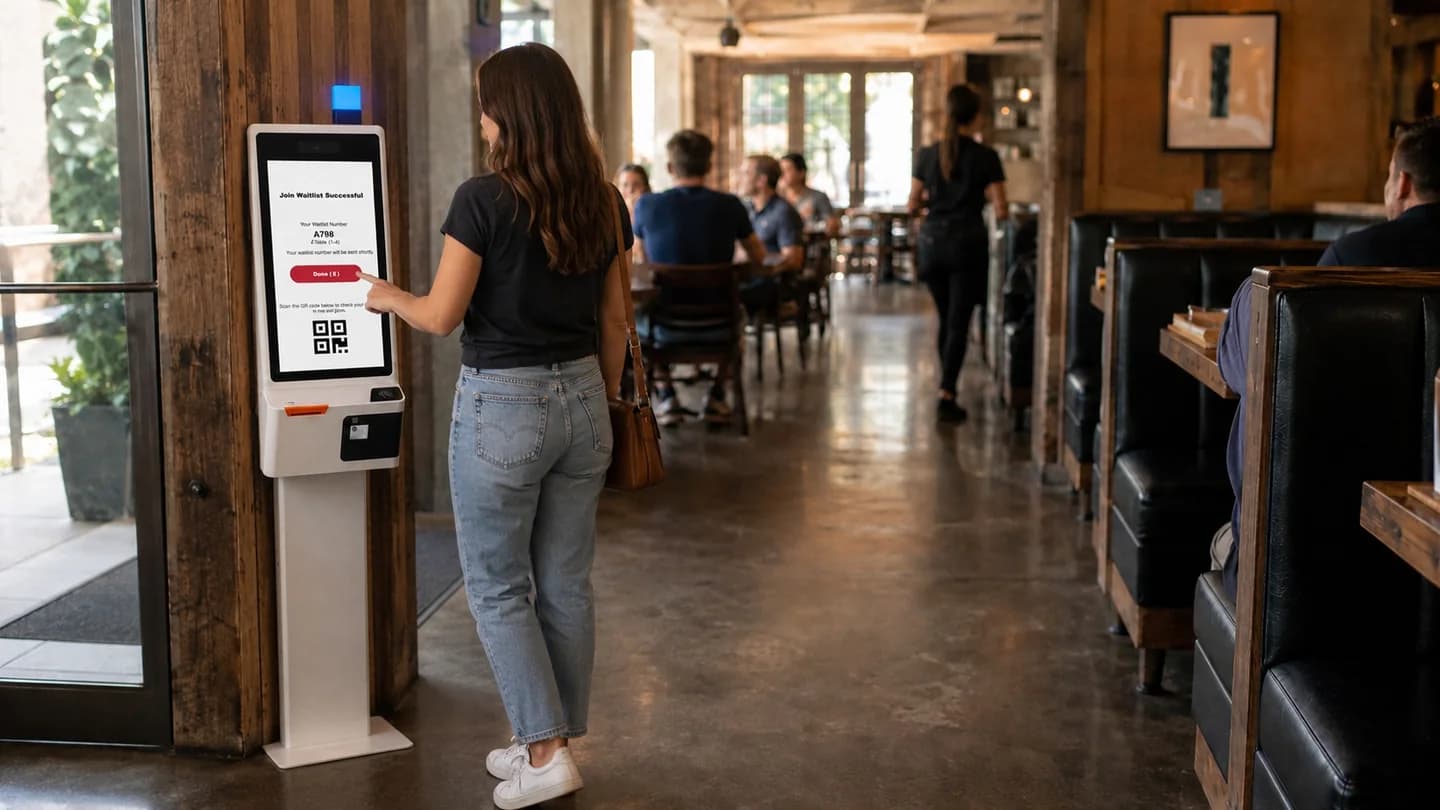
Keep fully booked demand in your hands.Guests who cannot get the reservation time they want can stay on standby instead of booking somewhere else.
Give canceled openings another chance to be filled.When a reservation cancels, Peblla Table can offer that opening to standby guests already waiting for it.
Deposits and standby protect the same prime-time slot.Deposits help reduce no-show risk, while standby gives canceled openings another chance to be filled.
Restaurant guest data, loyalty & marketing

Build a customer base
that grows with every visit.

Peblla Table brings reservations, walk-ins, member profiles, visit history, and marketing opt-ins into one restaurant guest database your restaurant owns. Use it to grow loyalty, build more relevant offers, and reach opted-in guests with Peblla marketing suite.

LoyaltyTurn booking into member opportunities.Guests can opt into your restaurant loyalty program while booking, so every reservation can become the start of a direct member relationship before they arrive.
Guest insights & segmentationTurn guest data into smarter marketing.Use connected guest profiles, visit history, member status, and recency in Peblla’s marketing suite to build more relevant guest segments, promotions, and campaigns.
SMS marketingReach opted-in guests with reasons to return.Use Peblla SMS marketing to reach guests who agreed to marketing with relevant offers and messages that encourage another visit.
ALL-IN-ONE RESTAURANT SYSTEM

Build the restaurant stack
that fits your operation.

Peblla Table is one part of the Peblla restaurant platform. Explore other tools your restaurant may need for ordering, payments, loyalty, kitchen operations, staff management, and more.

See it all in one demo
Restaurant reservation system FAQ

What restaurant owners ask
before choosing a reservation system?

Peblla Table is a restaurant reservation, waitlist, and table management system for U.S. restaurants, including dining, KTV, and other room-based concepts. It brings online reservations, walk-in waitlists, deposits and cancellation policies, reservation pacing and turn times, reservation standby, guest profiles, and Peblla POS into one connected workflow.

Restaurants can use Peblla Table to manage booking demand, reduce no-show risk, keep busy shifts under control, and carry guest information from reservation into service and future visits.

Peblla Table is a flat monthly subscription. There is no per-cover fee, no per-reservation fee and no commission on the covers you book, so a fully booked Saturday costs the same as a quiet Tuesday, and there are no hidden fees on top of the monthly rate. The monthly amount depends on how your restaurant is set up and which parts of Peblla you run, so talk to our sales team or call us at (202) 998-6698 for a quote.
No. Marking a party as seated opens the table in Peblla POS with the guest name, the cover count and any deposit already attached, so nobody retypes the party at the stand. When the check closes, the visit ties back to the same guest record it started from.
Yes. Peblla Table supports standard restaurant tables, private dining rooms, KTV (karaoke) rooms, and other room-based reservations in one system. Guests can book by party size and time, or choose a specific room or experience with photos and details when available. Restaurants can also set availability and deposit rules to fit how different tables and rooms are booked.
Yes, and there is nothing for them to download. You add your Peblla reservation page as the booking link on your Google Business Profile, so a guest who finds you on Google or Maps taps through and books on your own page. The same link works on Yelp and on any social platform you post to, in the bio, in a post or in a story.
The rules are yours. You decide whether to take a deposit at all, how much, which time slots and which table types it applies to, using a fixed amount per party, a per-person amount, or tiers that step up with party size, so you can protect private rooms and weekend prime time while leaving weekday two-tops open. Cancellation and refund windows are configured alongside it, and the deposit comes off the check when the party settles at the end of the visit. Guests see the policy before they confirm and again before they cancel.
Guests who could not get the time they wanted can join the standby list instead of leaving. When a booking cancels, that opening is offered back to the guests waiting on standby rather than quietly disappearing from the book. The guest still confirms, so the table is only held once someone has taken it.
Yes. You set the maximum number of guests you will seat every 15 minutes, and how long each party is expected to keep the table, by party size. Those two numbers are what decide how many covers the room actually turns on a busy night.
Yes. Reservations, the waitlist and the floor read the same availability, so a table your host opens for a walk-in and a table someone is booking online are drawn from one set of numbers rather than two. Marking a party seated, or clearing the table when they leave, keeps both sides in agreement without anyone updating a second system.
A guest can opt into your membership while booking, which creates a profile that carries into the visit and back again afterward. At the host stand your team can see that guest's notes and tags — a seating preference, an occasion, a dietary note — so the greeting starts with context.
Yes. Your guest data is yours and you can export it. You can also act on it inside Peblla, because the same profiles feed your loyalty program and SMS campaigns — so an offer goes to the guests who actually came in, not to a bought list. Our marketing team can help you build those campaigns.
Your team can adjust the party size on the reservation, inside the change and cancellation window you set. Those rules are yours: how late a guest can change, what happens to a deposit when they do, and whether a bigger party still fits the table type they originally booked.
A restaurant reservation system manages the seats you have not sold yet. It takes bookings from the channels a guest might use, holds the table, communicates with the guest before they arrive, and hands the party to the floor when they walk in. The better ones also control how fast bookings arrive and how long a table is held.
Still have a question about your own floor?Bring your busiest night and we will walk it through on your own tables and rooms.Book a Peblla Table demo
Book a demo

See Peblla Table
work for you.

Book a personalized walkthrough and see how Peblla Table fits your restaurant before you make a decision.

Trusted by 1,000+ restaurants
Prefer to talk? Call (202) 998-6698